Game Commands
This is a list of commands players can use in-game for their convenience.
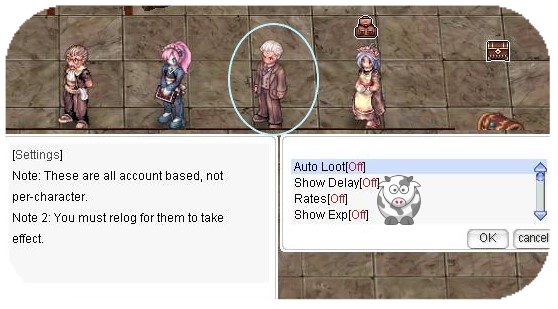
Some commands can be enabled at NPC Settings in our main office for automatic activation each time you log in.
General Information
| Command
|
Description
|
| @commands
|
Displays all available text commands.
|
| @help @h
|
Shows information about a command (if available).
|
| @rates
|
Displays the server's EXP/Job/Drop rates.
|
| @exp
|
Displays current Base/Job level progress.
|
| @cooldown
|
Displays your instance cooldown timers.
|
| @time
|
Displays the current server time.
|
| @uptime
|
Displays how long the server has been active.
|
| @showdelay
|
Displays cast delay/cooldown for skills (requires Skill Failure Display to be enabled).
|
| @eventinfo
|
Displays next Hourly Event and time until next Happy Hour and Seasonal Event.
|
| @woeseinfo
|
Displays castle and time until next WoE.
|
| @jailtime
|
Displays remaining jail time.
|
| @ltp
|
Marks your last point after porting on the mini-map.
|
| @utc
|
Sets your timezone (used by MVP Tombs and @time).
|
| @hominfo
|
Displays Homunculus information.
|
| @homstats
|
Displays Homunculus stats.
|
Database Commands
| Command
|
Example
|
Description
|
| @iteminfo @ii
|
@ii 573
|
Displays information about an item (name, ID, sell price).
|
| @iteminfo next @ii next
|
|
Displays the next @iteminfo/@ii page.
|
| @whobuy @wb
|
@wb 573
|
Displays Buying Stores containing that item.
|
| @whobuy2 @wb2 @whobuys2
|
@wb2 573
|
Displays Buying Stores containing that item (alternate shop query).
|
| @whosell @ws
|
@ws 573
|
Displays Vending Stores containing that item.
|
| @whosell2 @ws2 @whosells2
|
@ws2 +7 573 [4001]
|
Displays Vending Stores containing that item with refine/card filters.
|
| @whichnpcsell @wn
|
@wn 573
|
Displays NPC shop locations for an item.
|
| @whodrops @wd
|
@wd 573
|
Displays which mobs drop an item and at which rate.
|
| @mobinfo @mi
|
@mi 573
|
Displays a mob's stats and item drop rates.
|
| @mobinforate @mobinfomode
|
@mobinforate personal
|
Sets @mobinfo drop-rate mode: base/server, personal/effective, or default.
|
| @whereis @wi
|
@wi 573
|
Displays where a mob spawns (regular spawn only).
|
General Commands
| Command
|
Example
|
Description
|
| @go
|
@go 0
|
Teleports you to the specified town (use alone for town list).
|
| @return @load
|
-
|
Teleports you back to your save location.
|
| @die
|
-
|
You die.
|
| @lastwarp @lw
|
-
|
Teleports you to the last location you visited via Warper NPC.
|
| @refresh
|
-
|
Reloads displayed positions (removes position lag errors).
|
| @noks @allowks
|
-
|
Toggles kill-steal protection.
|
| @noask
|
-
|
Prevents party invitations.
|
| @battlestats @bs
|
-
|
Displays in-depth character stats.
|
| @battlestats2 @bs2
|
-
|
Displays in-depth defensive character stats.
|
| @bsc
|
-
|
Displays advanced bonus/stat breakdown.
|
| @navi
|
@navi prontera 55 55
|
Enables navigation to target coordinates.
|
| @navi2
|
@navi2 prontera 55 55
|
Enables navigation and opens the navigation window.
|
| @shop
|
@shop ID/Type
|
Opens a player shop directly.
|
| @shopjump @sj
|
@sj 55 55
|
Teleports you to the shop at those coordinates.
|
| @showexp
|
-
|
Displays gained EXP per kill.
|
| @showzeny
|
-
|
Displays gained zeny.
|
| @killcounter mobid killcounterlist
|
@kc 1973 1
|
Counts kills for up to 5 different mobs at the same time.
|
| @killcounter reset
|
@kc reset 1
|
Resets one list (or all lists with `@kc reset`).
|
| @killcounter status
|
@kc status
|
Shows current killcounter status.
|
| @ping
|
-
|
Displays your in-game ping.
|
| @activity
|
-
|
Shows your current Fashion Points.
|
| @hideconfig
|
-
|
Hides login settings messages.
|
| @kickmyvendors @kmv
|
-
|
Kicks all active vendors of the corresponding master account.
|
| @autotrade @at
|
-
|
Keeps vending active while logged off.
|
| @unequipall
|
-
|
Takes off all equipped gear.
|
| @lockjob
|
-
|
Toggles Job Changer offers for your character.
|
| @noresize
|
-
|
Disables resized NPC chat windows while saving position.
|
| @settings
|
-
|
Summons the Settings NPC next to you.
|
| @setrates
|
-
|
Summons the EXP-Settings NPC next to you.
|
| @bank
|
-
|
Summons banker Bowsette and opens the bank window.
|
| @spellbook
|
-
|
Shows Reading Spell Book info (Warlock only).
|
| @me
|
@me sits down
|
Lets you talk directly in third person.
|
| @pettalk
|
@pettalk sniffs on the ground
|
Lets your pet talk.
|
| @homtalk
|
@homtalk sniffs on the ground
|
Lets your homunculus talk.
|
| @garmentlayer
|
-
|
Summons a clone of you with garment layer priority reversed.
|
| @hateffect
|
-
|
Summons a clone to preview costume effects.
|
| @hold
|
-
|
Movement by clicking will be ignored.
|
| @noattack
|
-
|
Auto-attack action will be ignored.
|
| @hidemobshout
|
-
|
Makes monsters shout skill text at cast end instead of start.
|
| @treasureradar @tr
|
-
|
Shows remaining treasure chests on the map.
|
| @channel @main
|
@channel
|
Channel system command (join/list/leave/bind and more options).
|
| @daynight
|
@daynight 0
|
Sets personal day/night mode (0 default, 1 day, 2 night).
|
| @market
|
@market "<Title>" "<Message>"
|
Creates a market clone with your custom message.
|
| @marketkill
|
-
|
Removes your market clone.
|
Commands to Hide/Show Specific Features (Visual only)
| Command
|
Example
|
Description
|
| @hideunits @hideunit
|
-
|
Toggles hide/show for all supported unit types at once.
|
| @hideplayer
|
-
|
Other players will no longer be shown.
|
| @hidepet @hidepets
|
-
|
Pets will no longer be shown.
|
| @hidepet2
|
-
|
Hides all pets except your own.
|
| @silentpet @silentpets
|
-
|
Pets will no longer talk or emote.
|
| @hidewarg
|
-
|
Hides Windhawk warg.
|
| @hidemount
|
-
|
Swordsman classes only. Hides your mount.
|
| @unmount
|
-
|
Swordsman classes only. Helps dismount if hidden with @hidemount.
|
| @hideabr
|
-
|
Hides Meister ABR summons.
|
| @madomode
|
@madomode 3
|
Changes Mado Gear appearance (except PvP restrictions).
|
| @hidebionic
|
-
|
Hides Biolo Bionic summons.
|
| @hidehom
|
-
|
Hides Homunculus.
|
| @hideelem
|
-
|
Hides Elemental summons.
|
| @hideoutfit @hideoutfits
|
-
|
Turns off all headgear/garment sprites on player characters.
|
| @hidehateffect @hidehateffects
|
-
|
Turns off all headgear/garment effects on player characters.
|
| @expandstyle
|
-
|
Turns on expanded alternate outfit styles.
|
| @hideflamegiant
|
-
|
Turns off only the Flame Giant costume sprite.
|
Loot-related Commands
| Command
|
Example
|
Description
|
| @autoloot @al
|
@al 5
|
Automatically loots drops below the selected rate.
|
| @nodrop
|
-
|
Ignores floor items.
|
| @aloottype
|
@aloottype +4
|
Adds/removes item types from always-autoloot list.
|
| @alootid
|
@alootid +573
|
Adds item to autoloot list. Can chain with "|", e.g. @alootid reset|+573|+574
|
| @alootid -573
|
Removes item from autoloot list.
|
| @alootid reset
|
-
|
Clears your autoloot item list.
|
| @nolootid
|
@nolootid +573
|
Removes an item from autoloot. Can chain with "|", e.g. @nolootid +573|+574
|
| @nolootid reset
|
-
|
Clears your noloot item list.
|
| @restock
|
|
Restock allows you to automatically draw registered items from opened Storage.
|
| @restock bg
|
-
|
Restocks BG items.
|
| @restock woe
|
-
|
Restocks WoE items.
|
| @storeall
|
@storeall 4
|
Stores all items from inventory into opened storage by type.
|
| @getall
|
@getall 4
|
Moves all items from opened storage into inventory by type.
|
| @stockall
|
@stockall 4
|
Moves all items from cart to inventory by type.
|
| @dropall
|
@dropall 4
|
Drops all non-equipped and non-favorited items by type.
|
| @alootconfig @alc
|
-
|
Opens dialog to save current autoloot settings account-wide.
|
| @alootset @als
|
@als 1
|
Loads a saved autoloot set.
|
| @noshare
|
-
|
Disables receiving loot from party share.
|
| @nosellall
|
-
|
Removes the "Sell All" option from tool dealers.
|
Battleground Commands
| Command
|
Example
|
Description
|
| @joinbg
|
-
|
Joins the Battleground queue.
|
| @guildskill
|
@guildskill EC
|
Uses Guild/BG team skill (EC/RS/RG/BO). Leader-only.
|
| @guildskillinfo
|
-
|
Displays cooldown information for guild/BG skills.
|
| @leader
|
@leader Icecold
|
Transfers Battleground team leadership.
|
| @reportafk
|
@reportafk Icecold
|
Reports and removes an AFK teammate (leader-only if configured).
|
| @order
|
@order Push left
|
Broadcasts an order to guild/BG team (leader-only).
|
| @listenbg
|
@listenbg 2
|
BG announcement mode: 0 on, 1 off, 2 Happy Hour only.
|
| @bgrank
|
-
|
Displays Battleground ranking and your points.
|
Party Commands
| Command
|
Example
|
Description
|
| @party
|
-
|
Creates a party.
|
| @invite
|
@invite Icecold
|
Invites a character to your party (party leader only).
|
Guild Commands
| Command
|
Example
|
Description
|
@guild
or
ALT + g
|
@guild MuhRO
|
Creates a guild (requires 1 Emperium).
|
| @guildinvite
|
@guildinvite Icecold
|
Invites a character to a guild.
|
| @changegm
|
@changegm Icecold
|
Transfers guild ownership.
|
| @breakguild
|
-
|
Disbands a guild (guild leader only, all members must be expelled first).
|
PvP
| Command
|
Example
|
Description
|
| @duel
|
@duel Icecold
|
Invites a character to a duel.
|
| @accept
|
-
|
Accepts a duel invitation.
|
| @reject
|
-
|
Rejects a duel invitation.
|
| @leave
|
-
|
Leaves duel status.
|
Client Featuring Commands
| Command
|
Example
|
Description
|
| !ping
|
|
Shows latency.
|
| !vsync
|
-
|
Unlocks FPS if using DirectX7.
|
| @lgp
|
-
|
Enables/Disables LGP.
|
| @square <on/off/1-14>
|
-
|
Displays a square around your character (size is adjustable).
|
| @circle
|
-
|
Displays a circle around your character.
|
| @aoes
|
-
|
Displays colored AoE areas for selected skills.
|
Event Commands (when event scripts are active)
| Command
|
Example
|
Description
|
| @dicebet
|
@dicebet Icecold 100000
|
Sends a dicebet invitation with zeny bet amount.
|
| @acceptdb
|
-
|
Accepts a dicebet invitation.
|
| @declinedb
|
-
|
Declines a dicebet invitation.
|
| @resetdb
|
-
|
Resets current dicebet invitation state.
|
Discord Commands
The following commands can be used in any channel on our Discord:
| Command
|
Description
|
| /download
|
Shows download links for the game client.
|
| /kickvendor
|
Kicks one of your selected vendors.
|
